ProNect™ Activation Code Request
Important: You must first have a ProNect Data Platform account to receive an activation code. If you do not have a ProNect account you can create one here.
Please complete this form to request a single use Activation Code that will allow you to connect your instrument to the ProNect™ Data Platform.
After submitting this form, you will receive an email with your single use Activation Code.
Find detailed instructions to help you connect your GloMax® instrument.
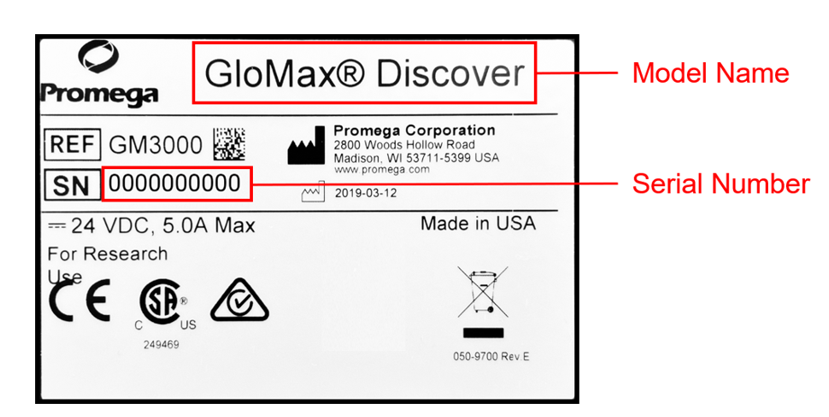
How to Locate the Model Name and Serial Number on Your Instrument:
Label on back of instrument
Via the Instrument’s User Interface:
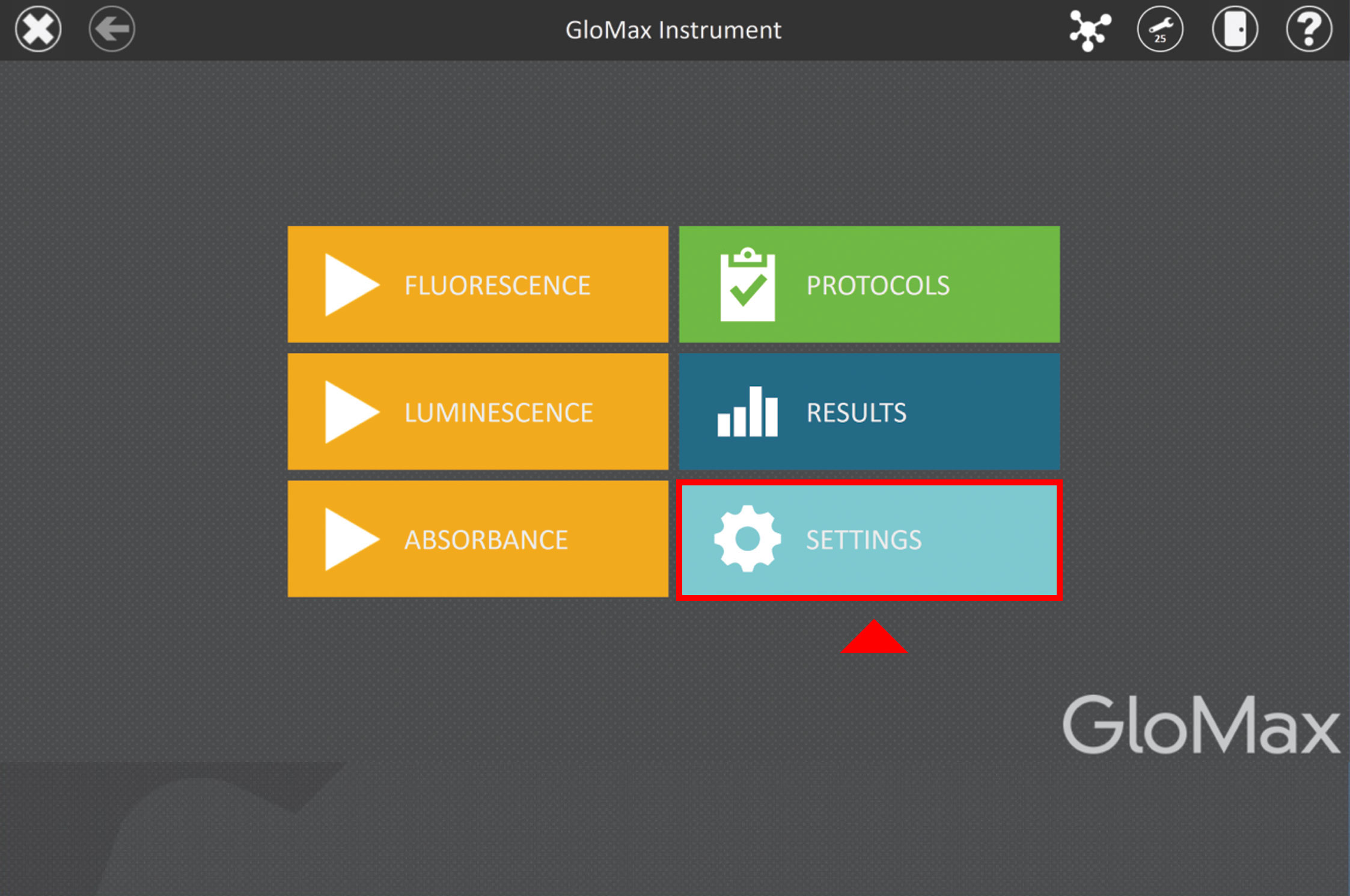
- From the home screen, select the "Settings" category.
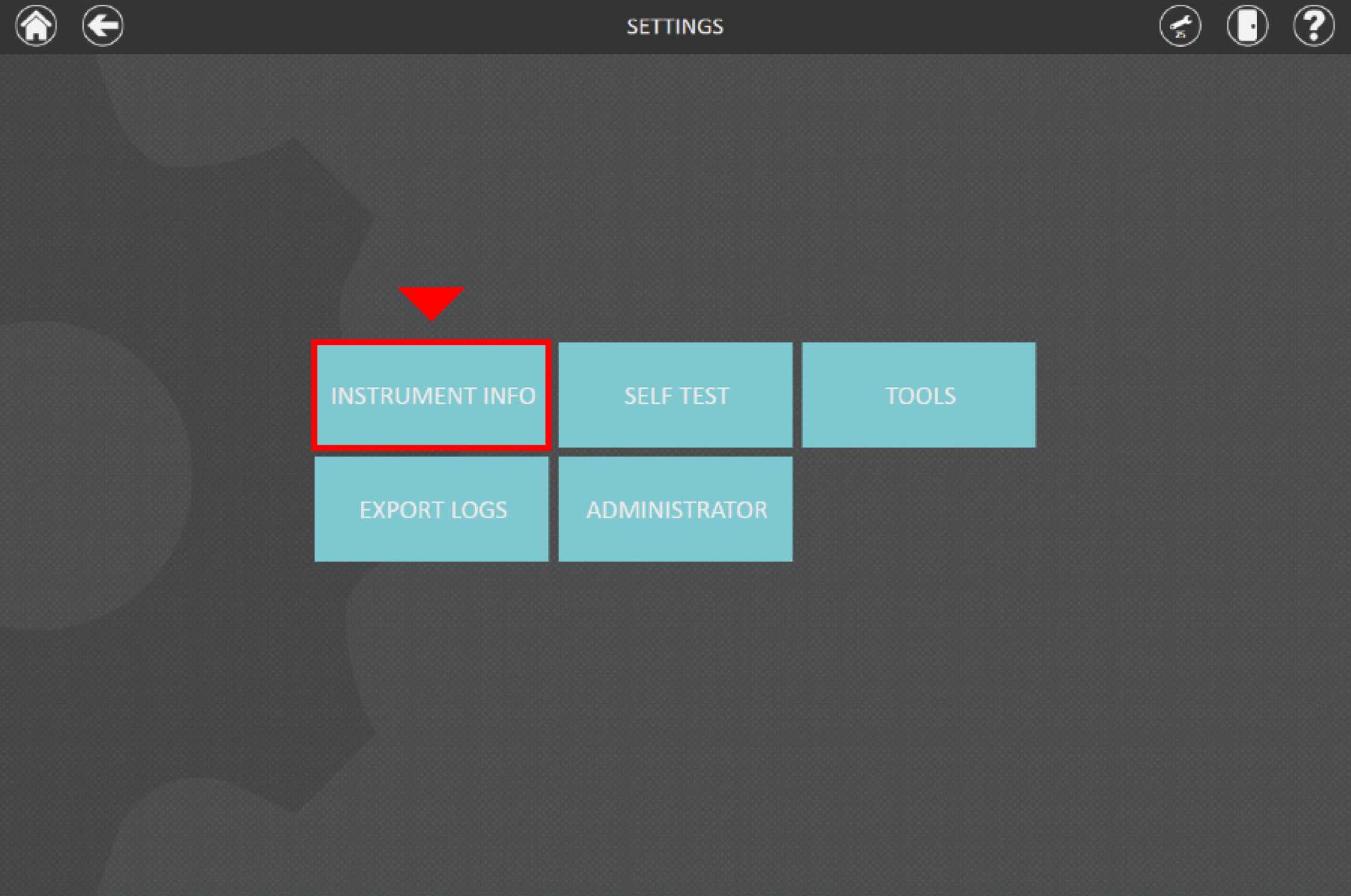
- Within the Settings menu, choose "Instrument Info."
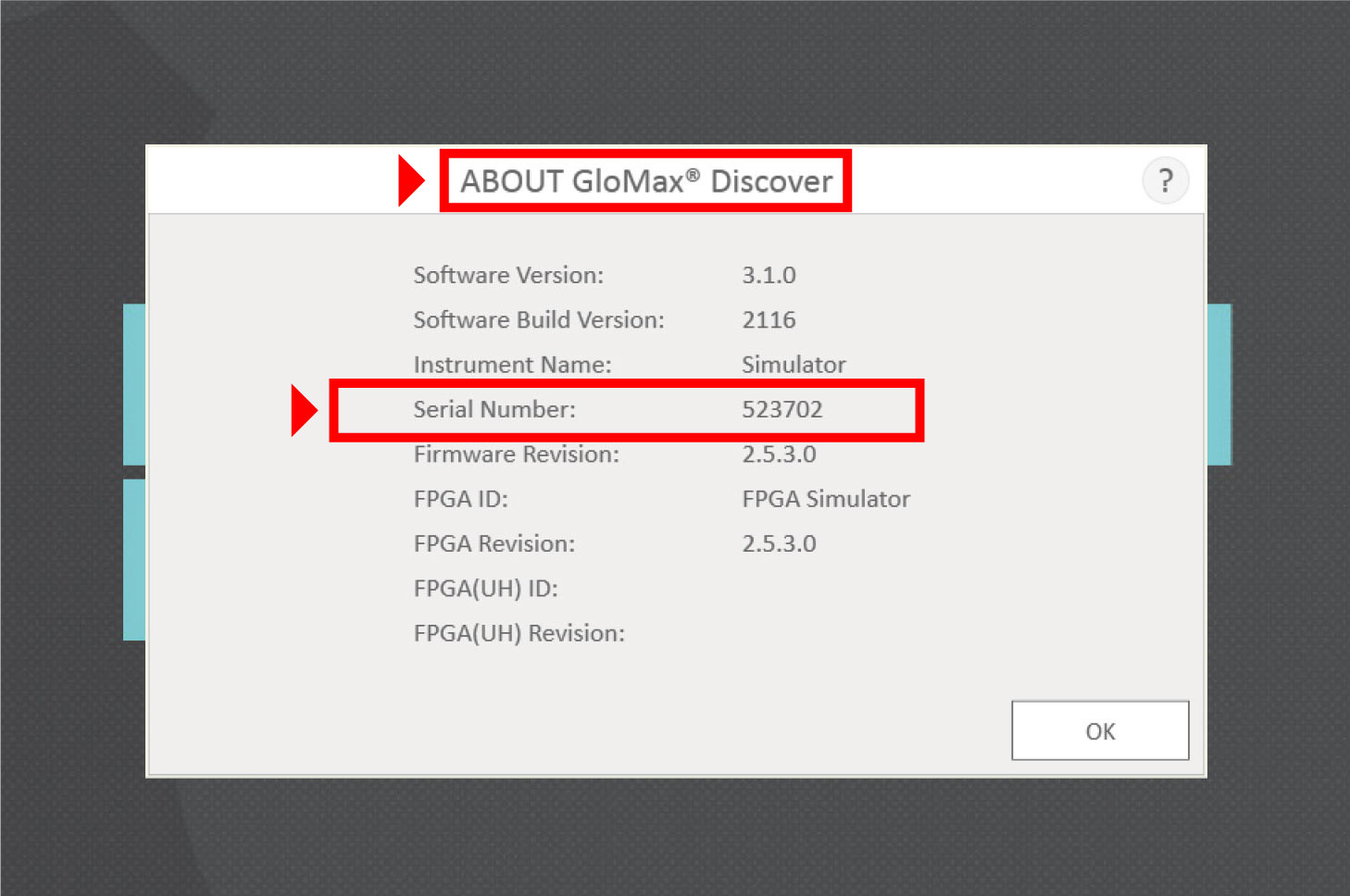
- In the Instrument Info section, the model name is displayed at the top, and the serial number is listed fourth in the sequence of information provided.